Why Your Phone Feels Faster After an Update — and When It Actually Isn’t
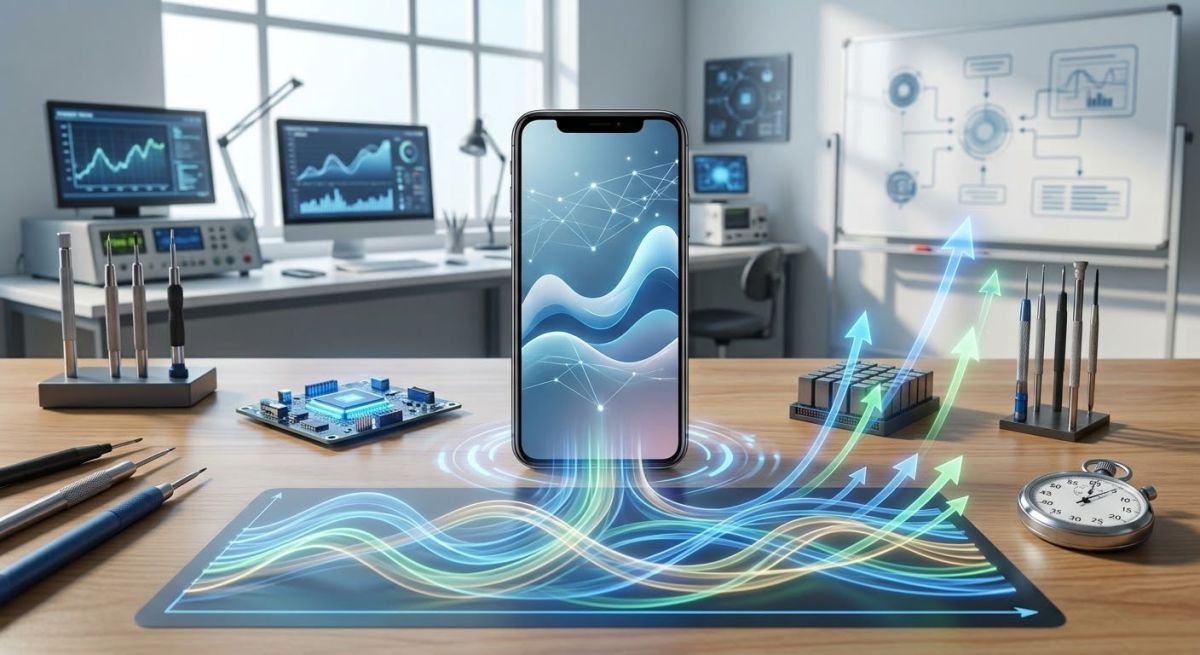
A phone can sometimes feel noticeably faster immediately after a software update. Apps may seem to open more smoothly, menus can respond more quickly, and animations may feel less sluggish. But that does not necessarily mean the update has made the phone's hardware more powerful.
Software updates can change how the operating system, apps, storage, background processes, and system services work together. In some cases, those changes genuinely improve responsiveness. In others, the phone only feels faster because temporary background activity has changed, cached data has been rebuilt, or you are noticing differences in the interface.
The opposite can also happen. A phone may feel slower immediately after an update because the device is still performing background work. Apple, for example, notes that some tasks related to an iPhone update can continue after installation and temporarily affect battery life and thermal performance.
So what is really happening when your phone suddenly feels faster?
Software Updates Can Improve More Than You Think:
A smartphone's responsiveness depends on much more than its processor.
The operating system coordinates memory, storage, background activity, app behavior, graphics, networking, and system services. A software update can modify several of these components without changing the physical hardware.
Google says Android system updates and Google system services updates can include improvements related to reliability, security, features, and system management. Its current Android documentation also recommends checking for updates when troubleshooting a slow device.
App developers can also release updated versions designed to work better with newer operating-system versions. Google states that Android app updates provide new features while improving security and stability.
That means a phone can become more responsive even though its processor, RAM and storage hardware remain exactly the same.
1. Bug Fixes Can Remove Small Sources of Lag
One of the simplest explanations is bug fixing.
Software is constantly dealing with thousands of different hardware configurations, apps, services and user behaviors. A bug may cause an application to consume unnecessary resources, repeatedly perform a task, or respond more slowly than intended.
An update can correct that behavior.
The improvement may not appear as a dramatic benchmark increase. Instead, you might notice that:
Apps open more consistently.
Touch responses feel quicker.
Animations stop stuttering.
Settings screens load more smoothly.
Background processes interfere less with foreground apps.
Certain apps crash or freeze less frequently.
Google's Android troubleshooting guidance specifically recommends keeping both the operating system and apps updated when dealing with performance problems.
2. System Components Can Become More Efficient
Modern phones do not rely solely on the operating system itself.
Android devices also use components such as Google Play services, the Google Play Store and Android WebView. Google describes Google Play services as a component that helps apps work with Google services and keeps Android devices secure and reliable.
These components are updated independently in some cases.
Google's 2026 release notes, for example, document updates involving performance and memory improvements in parts of its Android system infrastructure.
When these underlying components work more efficiently, everyday tasks can feel faster even though the phone's physical specifications have not changed.
3. Apps May Work Better After the Update
Sometimes the operating-system update is only part of the story.
After a major system update, applications may also receive their own updates. Developers can modify apps to take advantage of newer system APIs, fix compatibility problems, improve stability, or reduce unnecessary resource use.
Google specifically notes that keeping Android apps updated provides access to new features and improves app security and stability.
This can create an interesting situation: you may think the phone itself became faster after the system update when some of the improvement is actually coming from updated applications.
4. A Restart Can Make the Phone Feel Faster
There is another simple factor that is easy to overlook: the phone has restarted.
Installing a system update normally involves restarting the device. A restart can clear temporary processes and return the operating system to a clean running state.
That does not mean restarting permanently increases the phone's processing power.
It simply means that a phone that had been running continuously, accumulating background activity or experiencing a temporary software problem, may behave more normally after restarting.
Google includes restarting the device among its first troubleshooting steps for slow or malfunctioning Android phones.
5. Interface Changes Can Make a Phone Feel Faster
Speed is not always about raw processing performance.
Developers can change animations, transitions and other elements of the user interface. If an animation is shorter or feels more responsive, you may perceive the phone as faster even if a benchmark would show little or no change.
This is an important distinction:
Perceived responsiveness and computational performance are not exactly the same thing.
A phone can feel quicker because interactions are presented more efficiently, even without gaining additional processing power.
6. Storage Space Can Affect Responsiveness
Storage is another important factor.When a phone is almost full, certain operations can become more difficult to manage efficiently. Google specifically warns that Android devices can begin experiencing problems when less than 10% of storage remains free.
An update itself does not magically create more physical storage. However, software changes, app maintenance or removal of unnecessary data can alter how much usable space is available.
If your phone has been sluggish, checking available storage is therefore worthwhile.
7. Caches and Temporary Data Can Change
Apps and operating systems use cached data to avoid repeatedly processing or downloading the same information.
Cache behavior can change when software is updated. Google notes that clearing cached data can temporarily free space, although cached data can build up again over time.
This means changes in cached data can sometimes affect how an app behaves.
However, it would be misleading to say that every software update simply "clears the cache and makes your phone faster." That is not a universal rule, and the exact behavior varies between devices and operating systems.
Why Your Phone Can Feel Slower Immediately After an Update
The interesting part is that the same update that eventually makes a phone feel smoother can initially make it feel worse.
Apple explicitly explains that some tasks associated with an iPhone update continue in the background after installation. These tasks can temporarily affect battery life and thermal performance. Apple advises waiting a few days before judging battery life after an update.
That is why judging an update immediately after installation can sometimes be misleading.
You might temporarily notice:
Higher battery consumption
More warmth
Background activity
Slightly reduced responsiveness
Apps behaving differently while they adjust to the updated system
The exact behavior depends on the device and software version.
When Your Phone Really Is Faster
There are situations where an update can produce a genuine improvement in responsiveness.
For example, if an update fixes a software bug that was causing excessive CPU activity, improves memory management, reduces unnecessary background processing, or corrects an app compatibility problem, the phone may genuinely perform certain tasks more efficiently.
But there is an important limitation.
An operating-system update cannot turn an older processor into a newer processor.
The physical limits of the phone's CPU, GPU, RAM and storage remain.
An update can improve how those resources are used, but it does not physically upgrade them.
When Your Phone Only Feels Faster
Sometimes the improvement is mainly perceptual.
You may be experiencing:
A cleaner interface
Updated animations and transitions can make interactions feel more immediate.
A fresh restart
The update process restarts the phone, which can temporarily eliminate a software process that was causing problems.
Updated applications
Apps may have received performance or stability improvements at approximately the same time.
Changed expectations
After an update, you may consciously pay more attention to the phone's performance, making differences that were previously unnoticed more obvious.
None of these necessarily means that the phone's hardware has become faster.
What About Benchmarks?
Benchmarks can help answer a different question.
A benchmark attempts to measure particular aspects of performance under controlled conditions. If an update produces a meaningful change in benchmark results, that can provide evidence that software has changed measured performance.
But benchmarks are not the same as everyday responsiveness.
A phone can score similarly before and after an update while feeling smoother during ordinary use.
Conversely, a benchmark can improve while battery consumption, heat or sustained performance becomes less favorable under demanding workloads.
For everyday users, the more useful question is often:
Does the phone consistently perform the tasks I actually use it for better than before?
Battery Health Can Also Change the Experience
Software is not the only factor affecting phone performance.
On iPhones, Apple explains that battery ageing can affect performance. Depending on battery condition, charge level and workload, users can experience things such as longer app launch times, lower frame rates and increased processing times.
This is why an update cannot always be blamed when an older phone feels slow.
If the battery has significantly aged, the phone's performance may be affected independently of the update.
How to Tell Whether an Update Actually Helped
Instead of judging your phone after using it for only a few minutes, give the device some time.
Try the same everyday tasks you regularly perform:
1. Open several commonly used apps.
2. Switch between them.
3. Browse several websites.
4. Open the camera.
5. Scroll through social media.
6. Search your settings.
7. Test any apps that previously felt slow.
8. Check battery behavior over normal use.
Do not rely on a single moment.Performance can change depending on temperature, battery level, available storage, background activity and the workload being performed.
What to Do If Your Phone Is Still Slow After Updating
If your phone remains sluggish, an update is not necessarily the solution to every performance problem.
Check available storage
Google recommends checking storage when troubleshooting a slow Android phone and notes that performance problems can occur when very little storage remains.
Remove unnecessary files or applications if your storage is nearly full.
Update your apps
An operating-system update does not necessarily update every application installed on your phone.
On Android, Google recommends checking Google Play for available app updates.
Restart the phone
A normal restart is a simple troubleshooting step recommended by Google for slow Android devices.
Give a major update some time
If the phone has just received a major update, do not immediately assume something is wrong because battery life or temperature seems different.
On iPhone, Apple specifically recommends waiting a few days when battery life is temporarily worse after an update because background update-related tasks may still be running.
Look for a persistent problem
If severe lag, crashes, overheating or other problems continue well beyond the initial adjustment period, investigate the specific issue rather than repeatedly installing updates or changing system settings at random.
Should You Avoid Software Updates Because They Might Slow Your Phone?
No general rule supports avoiding updates simply because an older phone might feel different afterward.
Updates can provide security fixes, stability improvements, new features and bug fixes. Google says Android app updates improve security and stability, while Google system updates are intended to improve security and reliability.
Apple likewise describes its software updates as including features, improvements and security updates.
However, major updates can change system behavior and may place different demands on older hardware. Therefore, the effect is not guaranteed to be positive for every device.
The most accurate approach is to check the update's release notes and consider the specific phone model and software version.
Common Myths About Phone Updates
Myth 1: Every update makes a phone faster
"Not necessarily".
Updates can improve performance in some areas, but they can also introduce new features, change system behavior or increase demands on older hardware.
Myth 2: An update upgrades your processor
"False".
Software can change how hardware is used, but it does not physically replace the processor.
Myth 3: A phone that feels faster must have better benchmark performance
"Not necessarily".
Perceived responsiveness can change because of interface behavior, app performance or background activity.
Myth 4: A phone is permanently slower immediately after an update
"Not necessarily".
Some post-update background work can temporarily affect performance or battery behavior. Apple specifically documents this for iPhone updates.
Myth 5: Clearing every cache will always make the phone faster
"False".
Clearing cached data can temporarily free storage, but it is not a universal performance fix. Google describes cache clearing as a temporary solution because cached data can build up again.
The Bottom Line
Your phone can genuinely feel faster after a software update because software controls how efficiently the device uses its existing hardware.
Bug fixes, updated system components, improved app compatibility, interface changes and better resource management can all affect responsiveness. At the same time, a restart, changing background activity or simply a smoother interface can make the improvement feel larger than the underlying performance change.
And sometimes the opposite happens: a freshly updated phone may temporarily feel slower while background work continues.
The key is to separate perceived speed from actual hardware performance.
A software update cannot give an older phone a new processor. But it can sometimes help the hardware it already has work more efficiently.
If your phone remains unusually slow, check storage, update your apps, restart the device and look for persistent problems rather than assuming the update itself is responsible. Google recommends these steps as part of Android performance troubleshooting.