Why Your Phone Feels Faster After an Update — and When It Actually Isn’t
Have you ever installed a software update and suddenly noticed that your phone feels faster?
Apps may open more smoothly. Menus may respond more quickly. Scrolling may feel better. Animations may seem less sluggish.
But did your phone's hardware actually become faster?
Not exactly.
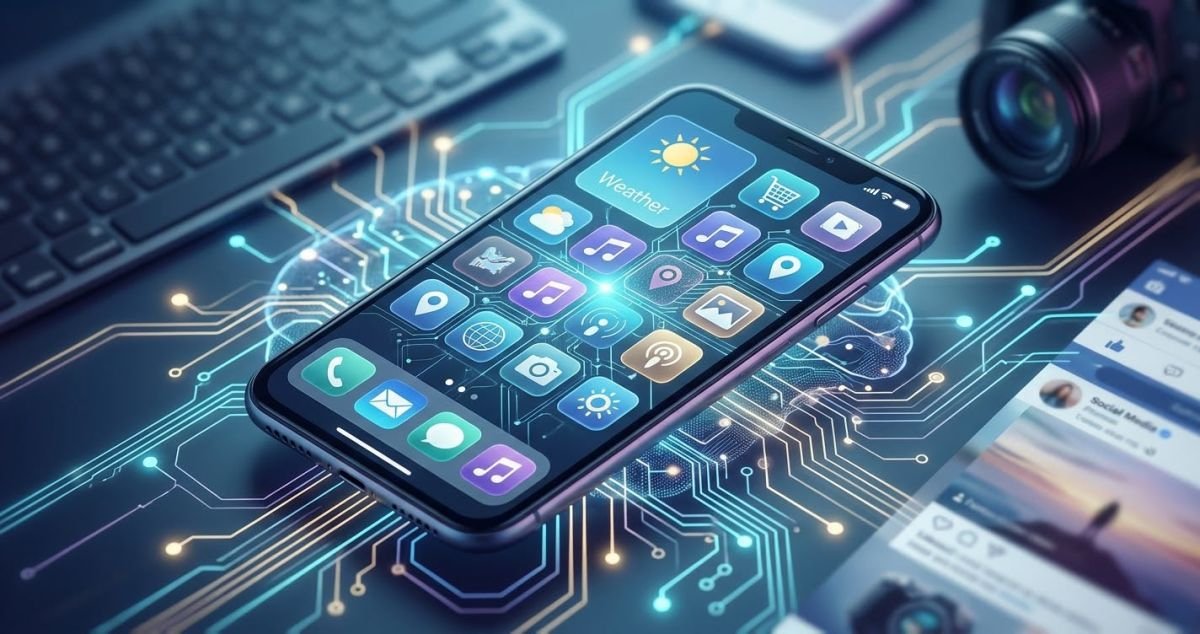
A phone feels faster after an update because software can change how the operating system, applications, storage, background processes, graphics, and system services work together.
In some situations, a software update can genuinely improve phone performance. In other situations, the phone may only feel faster because of changes to animations, background activity, cached data, app behavior, or a fresh restart.
The opposite can also happen.
A phone can temporarily feel slower after an update because the device may still be performing background tasks. Apple, for example, explains that some update-related tasks can continue after an iPhone software update and temporarily affect battery life and thermal performance.
So, why does a phone feel faster after a software update?
Let's look at what is really happening.
Can a Software Update Actually Make Your Phone Faster?
Yes, a software update can sometimes improve smartphone performance, but it does not physically upgrade your phone's processor, RAM, GPU, or storage.
Your phone's hardware stays the same.
What can change is the way the operating system uses that hardware.
Modern smartphones depend on software to manage:
CPU resources
RAM and memory
Storage
Background processes
Applications
Graphics
Network connections
System services
Animations
Power management
Security features
A software update can modify some of these areas.
This means an older phone can sometimes become more responsive after an update without receiving any new physical hardware.
1. Bug Fixes Can Remove Small Sources of Lag
One of the simplest reasons your phone feels faster after an update is bug fixing.
Smartphone software has to work with thousands of different applications, hardware configurations, system services, and user activities.
A software bug can cause:
Apps to use unnecessary resources
Background processes to run incorrectly
Animations to stutter
Applications to freeze
Settings pages to respond slowly
Excessive CPU activity
Random crashes
Delayed touch responses
A software update can fix these problems.
The result may not be a dramatic benchmark improvement.
Instead, you may simply notice that your phone feels smoother during normal use.
For example:
Apps open more consistently.
Touch responses feel quicker.
Scrolling becomes smoother.
Menus load more reliably.
Apps crash less frequently.
Background activity interferes less with other apps.
This is one reason keeping your phone software updated can be useful when troubleshooting performance problems.
2. System Components Can Become More Efficient
Your smartphone is not controlled by one piece of software.
Android devices, for example, use several system components and services that work alongside the main operating system.
These include components such as Google Play services, Google Play Store, Android WebView, and other system infrastructure.
Updates to these components can include improvements related to:
Performance
Reliability
Security
Memory management
Compatibility
System stability
When these components work more efficiently, everyday tasks may feel faster even though the phone's physical specifications have not changed.
This is an important part of understanding Android update performance.
3. Apps Can Work Better After a System Update
Sometimes the operating-system update is only part of the explanation.
Applications can receive their own updates around the same time.
Developers may update an app to:
Improve compatibility
Fix bugs
Improve stability
Reduce unnecessary resource usage
Support newer operating-system features
Improve loading performance
This can create an interesting situation.
You may think:
"My phone became faster after the update."
But some of the improvement may actually come from updated apps.
This is why smartphone performance should not always be attributed to the operating-system update alone.
4. A Restart Can Make Your Phone Feel Faster
There is another simple explanation that people often overlook.
Your phone has restarted.
Installing a major software update normally requires the device to restart.
A restart can stop temporary processes and give the operating system a fresh running state.
It does not permanently increase the processing power of your phone.
Instead, it can help when the previous session had:
Excessive background activity
A stuck process
Temporary software problems
An application using unusual resources
Long-running system activity
This is why restarting a slow phone is a common troubleshooting step.
5. Interface Changes Can Make Your Phone Feel Faster
Phone speed is not only about processor performance.
Perceived responsiveness also matters.
Developers can change:
Animations
Transitions
Touch feedback
Menu behavior
App opening effects
Scrolling behavior
If an animation becomes shorter or smoother, the phone may feel faster even if its raw processing performance has barely changed.
This creates an important distinction:
Perceived speed ≠ actual computational performance
A phone can feel quicker because the interface responds more efficiently.
That does not necessarily mean the CPU has become more powerful.
6. Storage Space Can Affect Phone Performance
Storage is another important factor in smartphone performance.
When a phone becomes almost completely full, some operations can become more difficult to manage efficiently.
For Android devices, Google recommends checking available storage when troubleshooting a slow phone and notes that performance problems can occur when very little storage remains.
An operating-system update does not magically increase the physical storage capacity of your phone.
However, software maintenance, application changes, or removal of unnecessary data can affect how much usable storage remains.
If your phone has been slow, check:
Photos
Videos
Downloads
Large applications
Offline files
WhatsApp or messaging media
Unused apps
Freeing storage can sometimes improve the overall experience.
7. Cache and Temporary Data Can Change
Apps and operating systems use cached data to avoid repeatedly processing or downloading the same information.
Cache behavior can change when software is updated.
This can affect how individual apps behave.
However, it is a myth that every software update simply "clears the cache and makes the phone faster."
That does not happen universally.
Cached data can also build up again as you continue using applications.
So clearing cache can sometimes help with a specific application or temporary storage issue, but it should not be treated as a guaranteed phone speed boost.
Why Your Phone Can Feel Slower Immediately After an Update
Here is the interesting part.
The same update that eventually makes a phone feel smoother can initially make it feel worse.
This can happen because a newly updated phone may perform background tasks after installation.
Apple specifically explains that some tasks associated with an iPhone update can continue after installation and temporarily affect battery life and thermal performance.
You might temporarily notice:
Higher battery consumption
More device warmth
Increased background activity
Slightly different app behavior
Temporary responsiveness changes
Faster battery drain
This does not automatically mean the update damaged your phone.
The exact behavior depends on the device, operating-system version, applications, and the type of update.
When Your Phone Really Is Faster
There are situations where an update can produce a genuine improvement in phone responsiveness.
For example, an update might:
Fix a CPU-related bug
Improve memory management
Reduce unnecessary background processing
Fix application compatibility
Improve system resource management
Correct graphics problems
Improve system stability
In these situations, your phone may genuinely perform certain tasks more efficiently.
But there is an important limitation.
An update cannot physically upgrade your processor.
If your phone has an older CPU, an operating-system update does not replace it with a newer CPU.
The same applies to:
RAM
GPU
Internal storage
Camera hardware
Battery capacity
Software can improve how hardware is used.
It cannot magically replace the physical hardware.
When Your Phone Only Feels Faster
Sometimes the improvement is mainly about perceived performance.
You may be experiencing:
A cleaner interface
Updated animations and transitions can make interactions feel more immediate.
A fresh restart
The update process restarts the phone and can remove a temporary software problem.
Updated applications
Apps may receive performance and stability improvements around the same time.
Different background activity
System processes may behave differently after the update.
Changed expectations
After installing an update, you may pay more attention to your phone's speed and notice differences that you previously ignored.
None of these necessarily means that your phone's hardware became faster.
What About Phone Performance Benchmarks?
Benchmarks can help answer a different question.
A benchmark measures specific aspects of device performance under particular testing conditions.
If a software update produces a measurable change in benchmark results, that can provide evidence that the software changed measured performance.
But benchmarks are not exactly the same as everyday phone responsiveness.
For example, your benchmark score might remain almost identical while:
Apps open more smoothly
Scrolling feels better
Menus respond faster
Animations look smoother
Apps crash less often
The reverse can also happen.
A benchmark may improve while battery consumption, heat, or sustained performance behaves differently during demanding workloads.
For everyday users, a more useful question is:
Does my phone consistently handle the tasks I actually use better than before?
Battery Health Can Affect Phone Speed
Software is not the only factor affecting phone performance.
Battery condition can also influence the experience.
Apple explains that battery ageing can affect iPhone performance. Depending on battery condition, charge level, and workload, users can experience things such as longer app launch times, reduced frame rates, or increased processing times.
This means an older phone that feels slow cannot automatically be blamed on its latest software update.
If the battery has significantly aged, battery-related performance management may be another factor.
So when investigating why your phone is slow, consider both software and hardware conditions.
How to Tell Whether a Software Update Actually Helped
Do not judge your phone immediately after installing an update.
Instead, give it some normal usage time.
Then test the same tasks you regularly perform.
1. Open your commonly used apps
Check whether they open more smoothly.
2. Switch between applications
Move between several apps and see whether the experience is consistent.
3. Browse websites
Try your usual browser and websites.
4. Open the camera
Check camera startup and responsiveness.
5. Scroll through social media
Pay attention to scrolling and animation smoothness.
6. Search through Settings
See whether menus and settings respond normally.
7. Test previously slow apps
If a particular app was slow before the update, check it again.
8. Monitor battery behavior
Look at battery usage over normal daily use rather than judging it after only a few minutes.
Remember that phone performance can change depending on:
Battery level
Temperature
Available storage
Background processes
Network activity
App workload
Device age
What to Do If Your Phone Is Still Slow After an Update
If your phone remains sluggish, the update may not be the actual cause.
Check your storage
If your storage is almost full, remove unnecessary files and applications.
Consider deleting:
Large videos
Duplicate photos
Old downloads
Unused applications
Offline media
Update your apps
A system update does not necessarily update every application on your phone.
Check your app store for pending updates.
Restart your phone
A normal restart is a simple troubleshooting step for temporary performance problems.
Give a major update some time
If the update was installed recently, wait before deciding whether the update made the phone slower.
On iPhones, Apple specifically explains that update-related background tasks can continue after installation.
Look for a specific problem
If severe lag, overheating, crashes, or battery problems continue, identify the specific issue instead of repeatedly changing settings without knowing the cause.
Should You Avoid Software Updates Because They Might Slow Your Phone?
There is no general rule that says you should avoid software updates simply because an older phone may behave differently afterward.
Updates can provide:
Security fixes
Bug fixes
Stability improvements
New features
Compatibility improvements
System improvements
However, major updates can also introduce new features and change system behavior.
Older hardware may respond differently to a newer operating system than newer hardware does.
Therefore, the effect of an update is not guaranteed to be identical across every smartphone.
Before installing a major update, it can be useful to check the official release notes for your particular device and software version.
Common Myths About Phone Software Updates
Myth 1: Every software update makes a phone faster
Not necessarily.
An update can improve performance in some areas, but it can also introduce new features or change system behavior.
Myth 2: A software update upgrades your processor
False.
Software changes how existing hardware operates. It does not physically replace your processor.
Myth 3: If a phone feels faster, its benchmark score must have increased
Not necessarily.
Perceived responsiveness can change because of animations, app behavior, background activity, or system optimization.
Myth 4: A phone that feels slower immediately after an update is permanently damaged
Not necessarily.
Some post-update background tasks can temporarily affect battery behavior, temperature, and responsiveness.
Myth 5: Clearing every cache will always make your phone faster
False.
Clearing cached data can sometimes help with specific problems or temporarily free storage, but it is not a universal solution for slow phone performance.
Your Phone Can Feel Faster Without Becoming More Powerful
The biggest difference is between hardware power and software optimization.
Your phone's processor does not suddenly become a newer processor after an update.
But the software controlling that processor can change.
A new update may improve:
Resource management
Memory usage
Background processes
App compatibility
Animations
System stability
Bug handling
Security
Application performance
This can make everyday smartphone use feel significantly better.
That is why the statement "my phone feels faster after an update" can be completely genuine even when the phone's hardware has not changed.
The Bigger Picture: Software Changes How We Experience Technology
A software update is more than a collection of new features.
It can change how a device feels to use.
The same hardware can provide a different experience depending on how effectively the operating system manages its resources.
This idea also applies to artificial intelligence and other modern software features. AI-powered systems are increasingly built into everyday applications, changing how users interact with phones and apps.
You can read more about this in our related article:
AI in Everyday Apps: How Artificial Intelligence Works in the Background
Read: AI in Everyday Apps: How Artificial Intelligence Works in the Background
Final Thoughts
So, why does your phone feel faster after an update?
There is no single explanation.
The improvement may come from bug fixes, better resource management, updated system components, improved app compatibility, smoother animations, a fresh restart, or changes in background activity.
Sometimes the improvement is a genuine change in software efficiency.
Sometimes it is mainly a change in perceived responsiveness.
And sometimes the phone may temporarily feel slower because background update tasks are still running.
The most important thing to remember is that a software update cannot physically turn an old processor into a new one.
But it can change how efficiently your existing hardware is used.
So the next time your phone feels faster after an update, look beyond the processor. The real change may be happening in the software running around it.